Optus Mobile TV4.2
Publisher Description
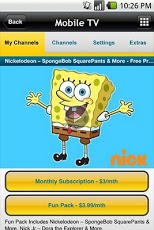
Exclusive to Optus customers the Optus Mobile TV app is the must have Mobile TV app for your mobile, covering a great range of on demand full episodes and live TV channels.Get ABC and SBS streamed live and FREE^^ on Optus Mobile TV (on 3G or 4G only).Plus you can subscribe to other top TV shows and channels like South Park, The Wiggles, Jersey Shore, Angry Boys, Gruen Planet, The Hills, Sky News Live and Cartoon Network with day passes or monthly subscriptions.All channels and shows are available for Optus mobile customers unmetered via 3G or 4G.If you have any feedback or are experiencing service difficulties, contact us using @Optus via Twitter with #OptusVideo, or call our technical support team on 1300 307 937 (Open 24hrs, 7 days a week), or visit us online at www.optus.com.au/contactus.The Optus Mobile TV App is only available to selected Optus mobile customers on compatible 3G or 4G mobile handsets. Optus mobile customers do not pay any data download charges for the ongoing use of Mobile TV, except when accessing via your mobile using Wi-Fi or while roaming overseas.^^ Standard data charges apply to download or upgrade the Optus Mobile TV app.Data consumption from your provider will apply, please check with your mobile provider for additional data rates including national and international roaming.
About Optus Mobile TV
The company that develops Optus Mobile TV is Optus Mobile Pty Ltd. The latest version released by its developer is 4.2. This app was rated by 1 users of our site and has an average rating of 5.0.
To install Optus Mobile TV on your Android device, just click the green Continue To App button above to start the installation process. The app is listed on our website since 2013-03-17 and was downloaded 18 times. We have already checked if the download link is safe, however for your own protection we recommend that you scan the downloaded app with your antivirus. Your antivirus may detect the Optus Mobile TV as malware as malware if the download link to com.Optus.MobileTV is broken.
How to install Optus Mobile TV on your Android device:
- Click on the Continue To App button on our website. This will redirect you to Google Play.
- Once the Optus Mobile TV is shown in the Google Play listing of your Android device, you can start its download and installation. Tap on the Install button located below the search bar and to the right of the app icon.
- A pop-up window with the permissions required by Optus Mobile TV will be shown. Click on Accept to continue the process.
- Optus Mobile TV will be downloaded onto your device, displaying a progress. Once the download completes, the installation will start and you'll get a notification after the installation is finished.
Program Details
System requirements
Download information
Pricing
Version History
version 4.2
posted on 2013-03-17
Several fixes and updates
